A mobile application to provide real-time ETA for buses using crowdsourcing.
This project was done as part of the Designing Human-Centred Systems course at IIIT-Delhi. The team consisted of 6 students.
Buses take up 90% of the public transportation in Indian cities and have twice the number of commuters than the Metro. Yet, while Metro ridership is constantly rising, bus ridership is on the decline. The main reasons behind this decreasing popularity are: -
- Unreliable timings of buses due to congestion and traffic jams
- Unavailability of real-time bus transit data
- Difficulty in onboarding new users due to unavailability of updated routes & schedules
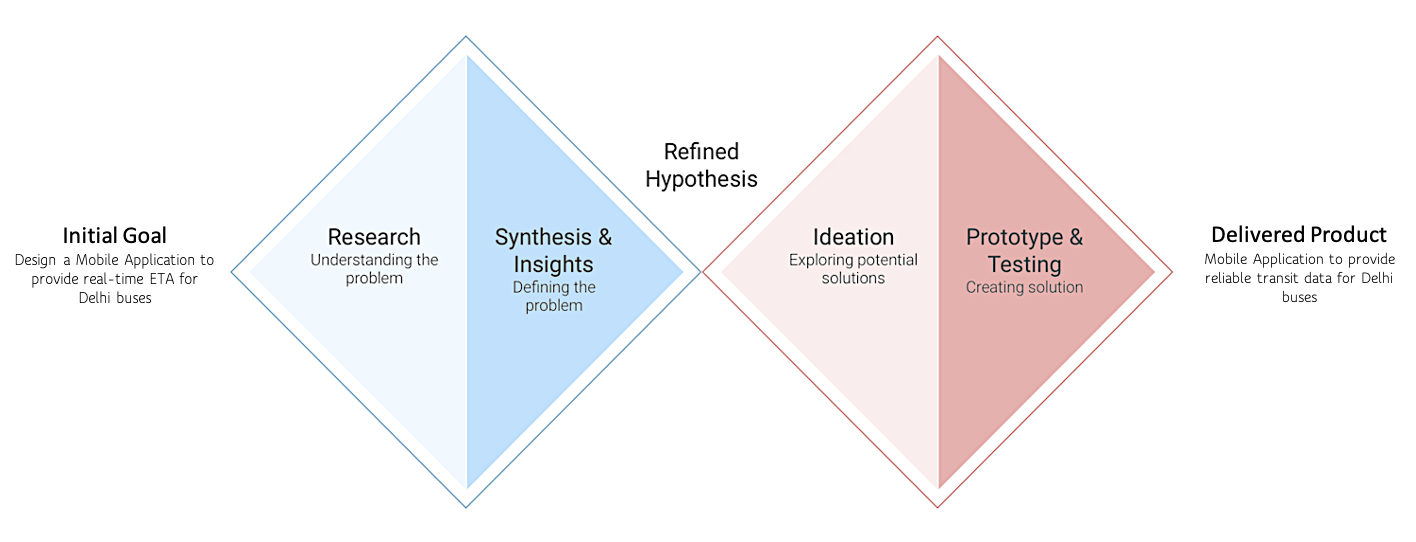
Design Thought Process
I. Research & Empathize
Understanding the Problem (Survey and Contextual Inquiry)
The idea of the app came from a common problem faced by bus travelers- lack of real time bus transit data.
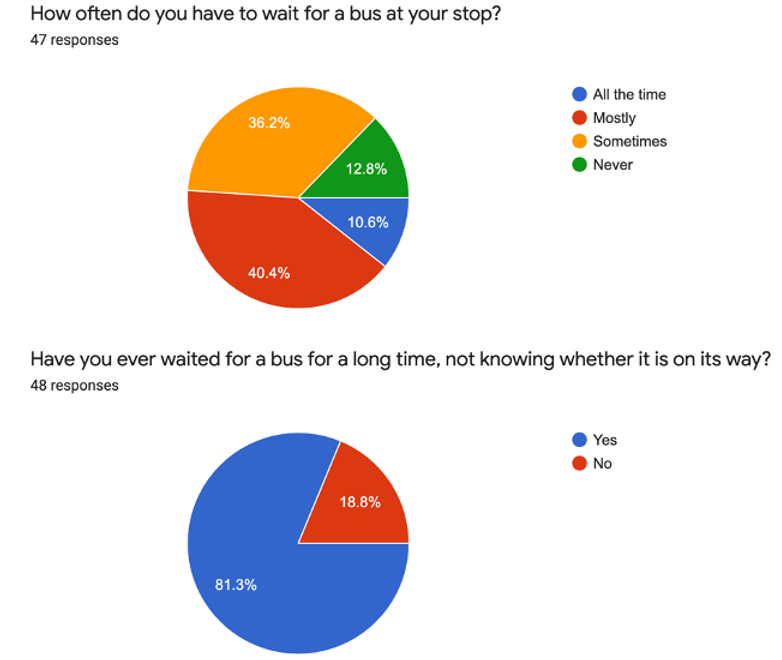
We surveyed almost 50 people to establish the validity of the problem. Bus travelers felt that the long waiting times at bus stops was a common problem.
We conducted a contextual inquiry to investigate this problem further. We found that most people either know the bus numbers by experience or find them out by asking people at the bus stop. Some people also complained about the inaccuracy of the scheduled timings in apps like Google Maps. Buses in a particular route are infrequent, so the waiting time for travelers sometimes stretch up to 30 minutes.
II. Synthesis & Insights
Defining the Problem
To make sense of the information received, we built an Affinity Diagram to consolidate the findings: -
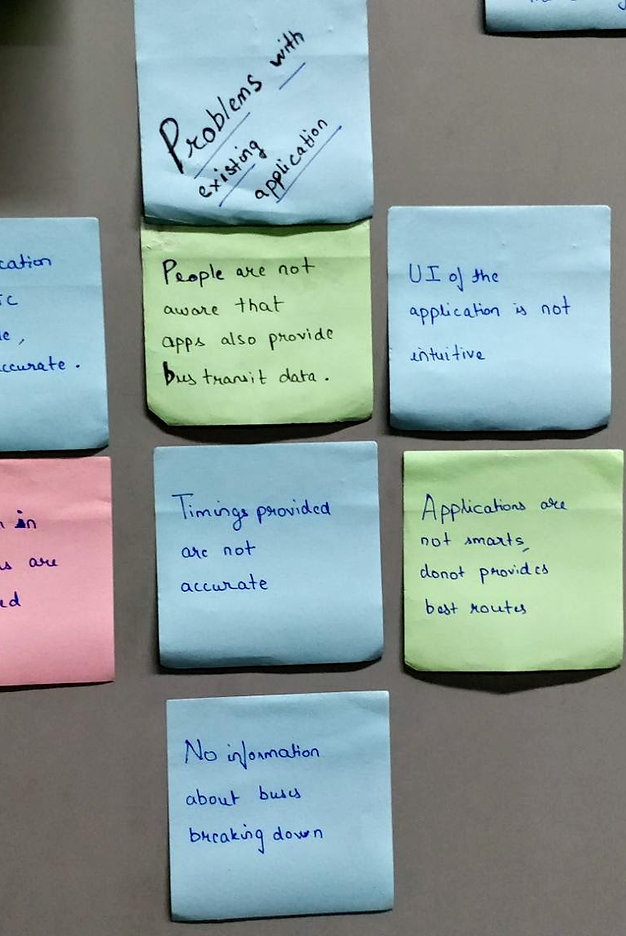
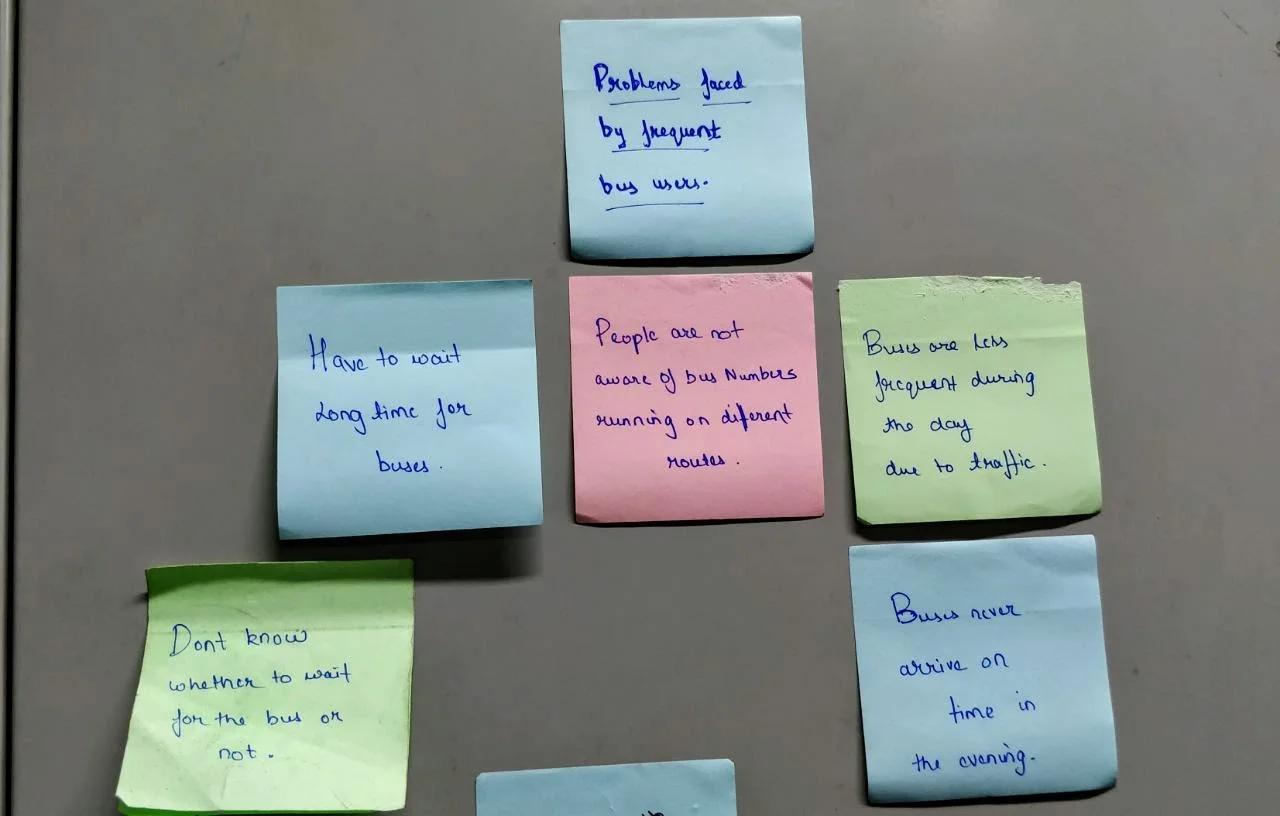
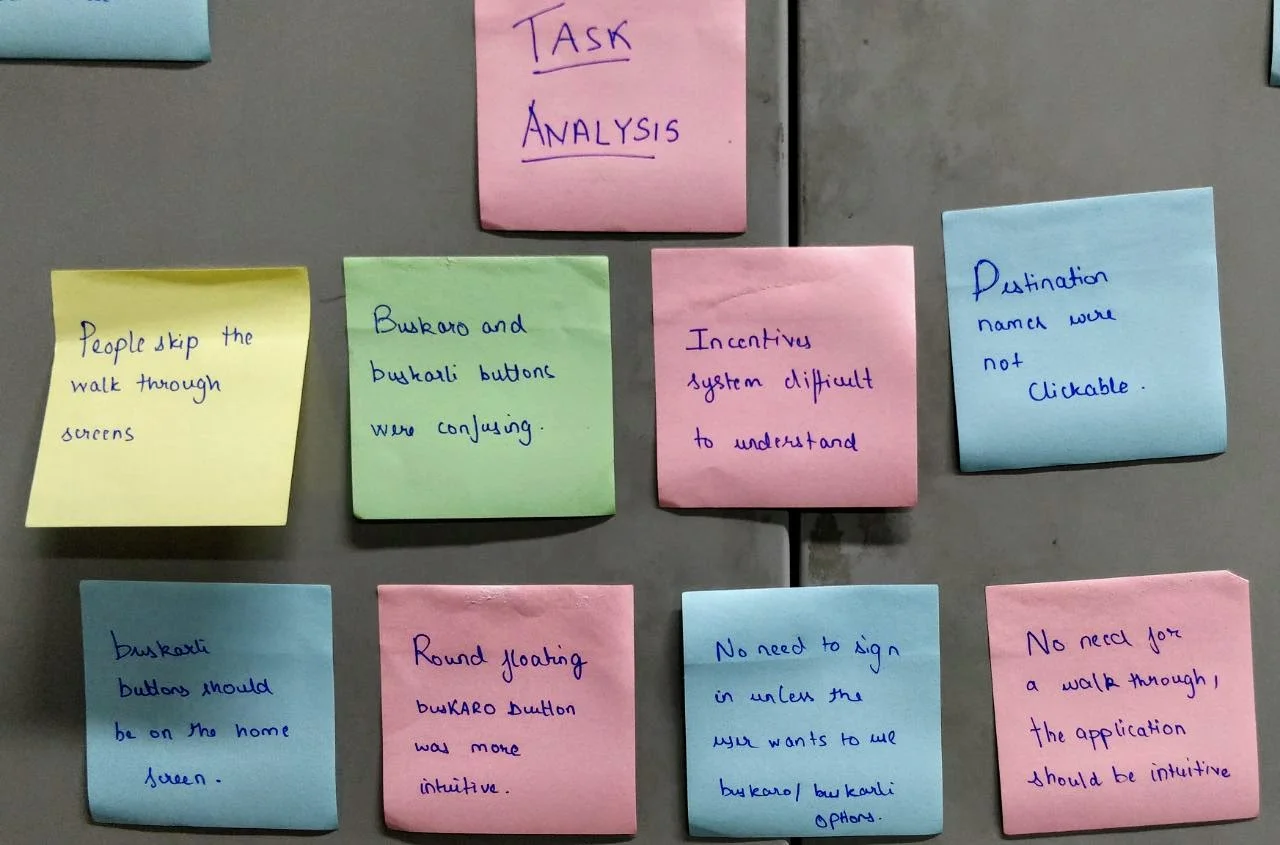
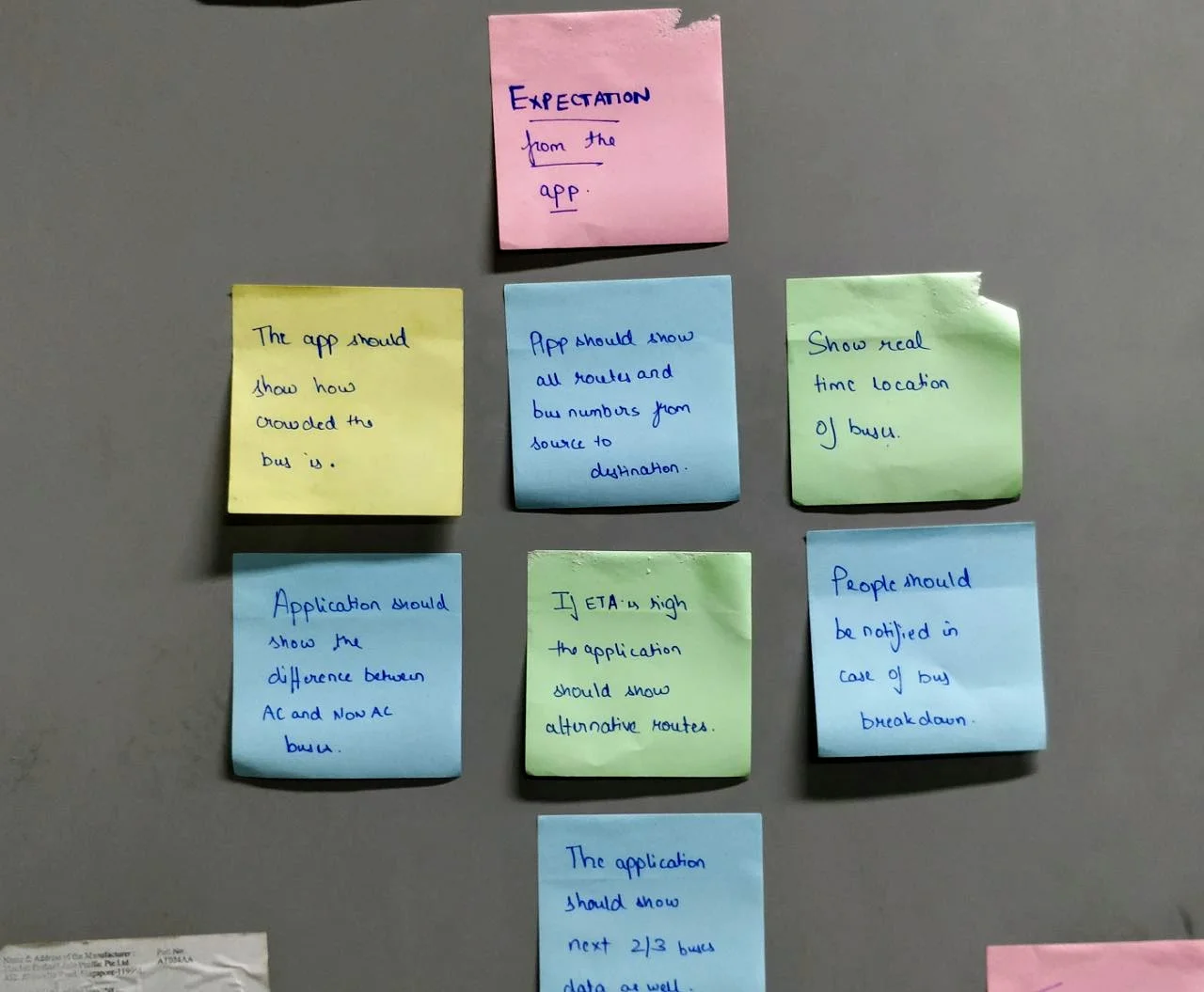
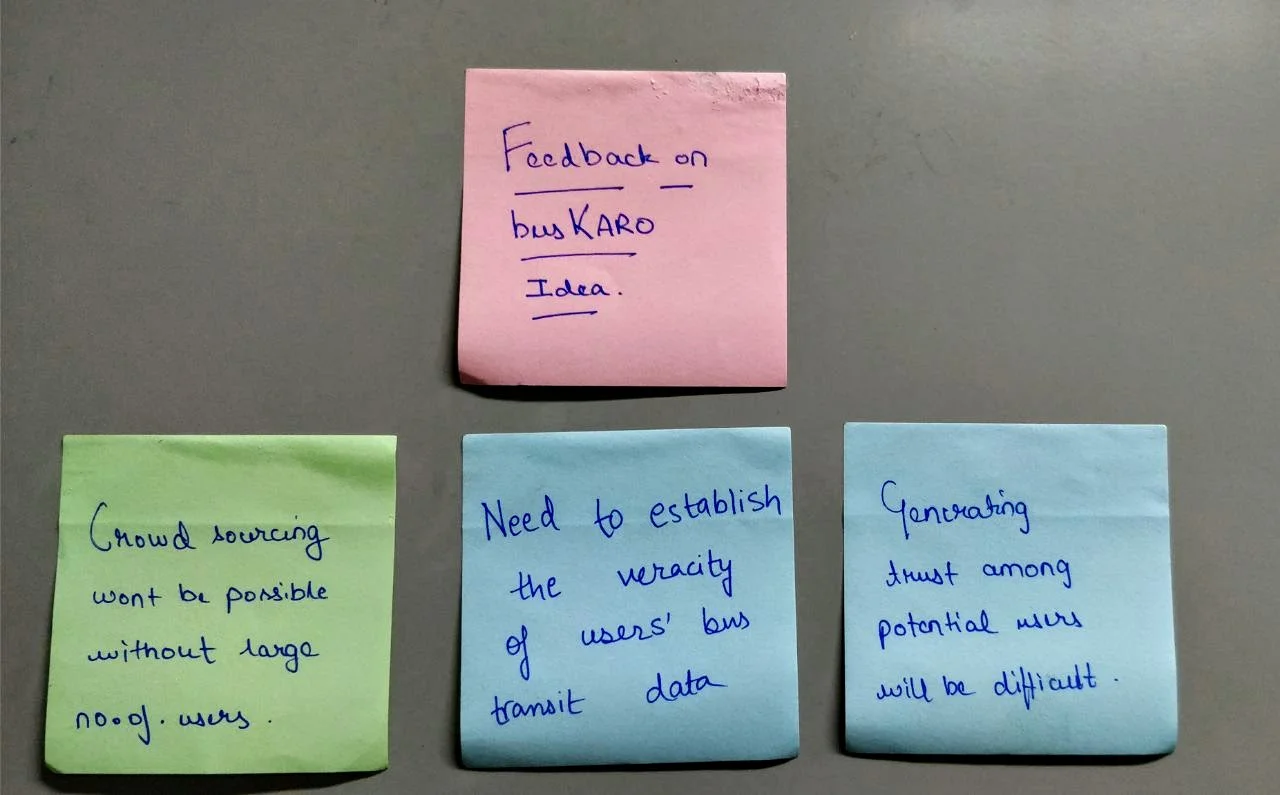
Affinity Diagram helped us to narrow down several aspects of the problem and come up with a solution. It also provided us a better interface to gather & synchronize all data in one place.
We then listed down the most useful insights obtained from the contextual inquiry: -
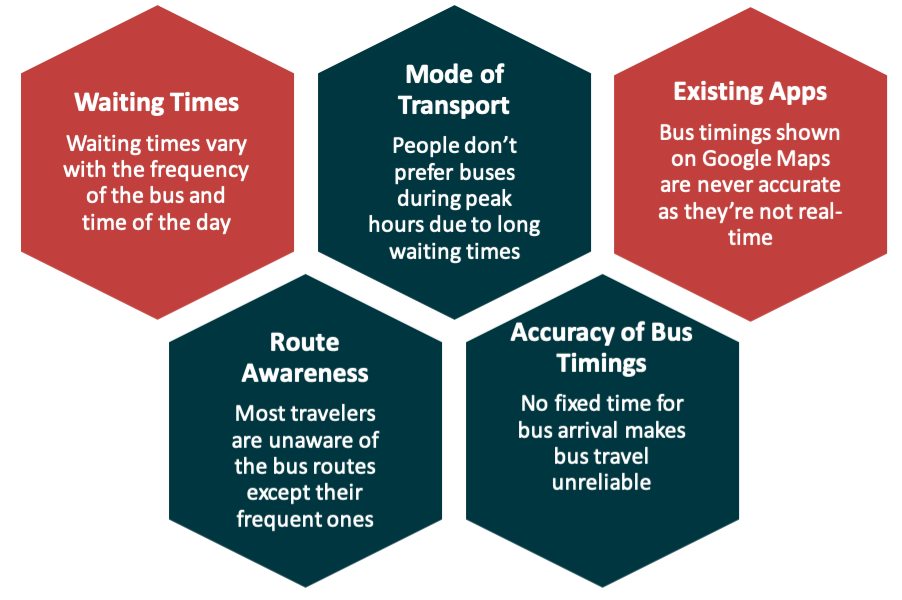
Problem Statement
"How to provide bus travelers with reliable transit data along with updated routes and real-time ETA"
III. Ideation
Exploring Potential Solutions
After defining the problem and brainstorming thoroughly, we used convergent thinking to narrow down to 3 ideas that we could possibly focus on: -
- Using pre-installed GPS devices in DTC buses.
- Building our own hardware device for tracking the location of buses.
- Crowdsourcing bus transit data to get a real-time ETA.
Hardware installation would require infrastructure at large scale & government approvals at the same time. Not to mention the privacy concerns if GPS data was available in the public domain.
Considering the feasibility of the 3 options, we decided to go ahead with the 3rd one i.e. crowdsourcing.
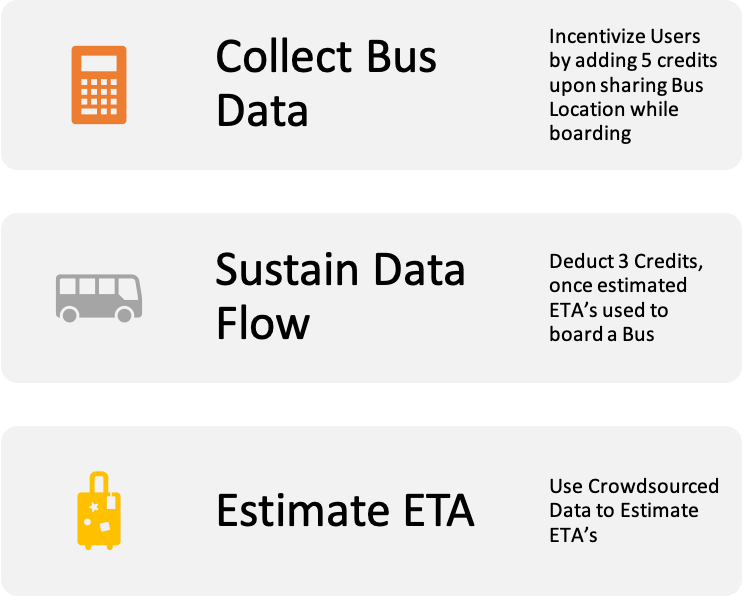
How to crowd-source?
Using an anonymous platform to collect data, and use a credit system to maintain sustainability & data flow.
- Incentivize users to share their location during bus rides & intimate user once you board the bus.
- Use credits to reveal ETA for your Bus routes.
IV. Prototype & Testing
Creating Solution
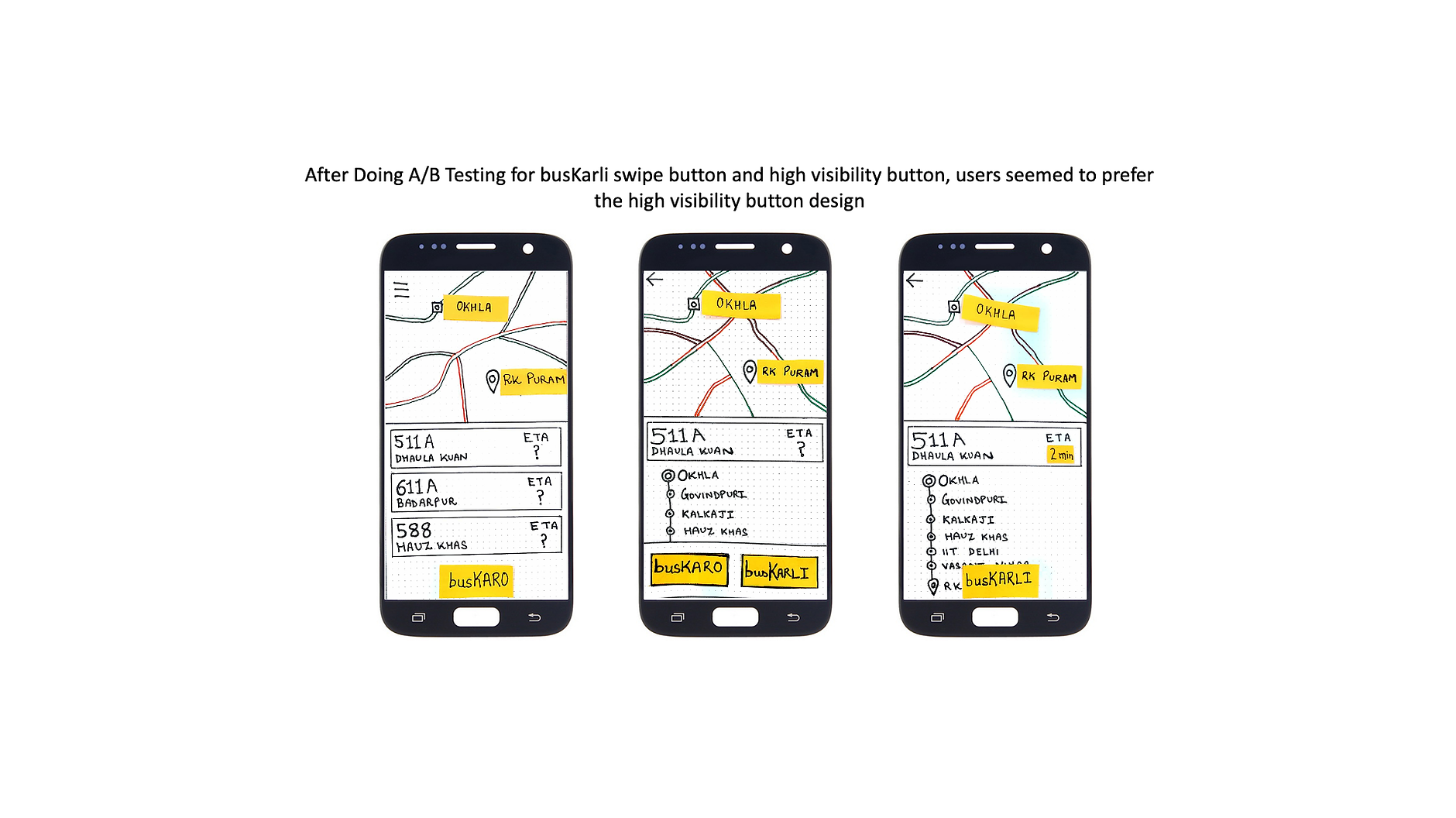
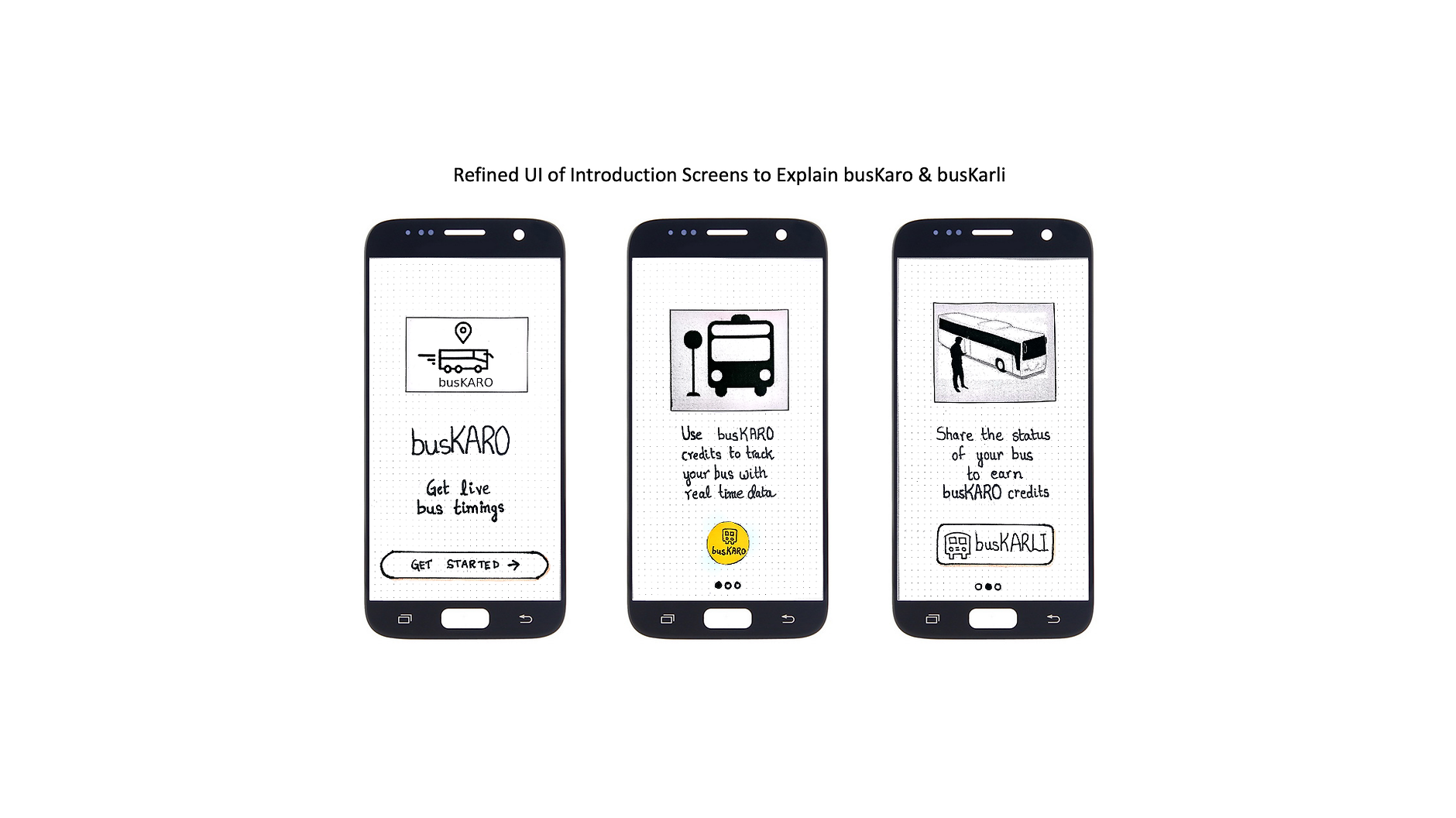
The First Step towards designing the app was to define the user story, and empathically think of the most sustainable way to get ETA. We thought of busKaro & busKarli as two use cases of the app: -
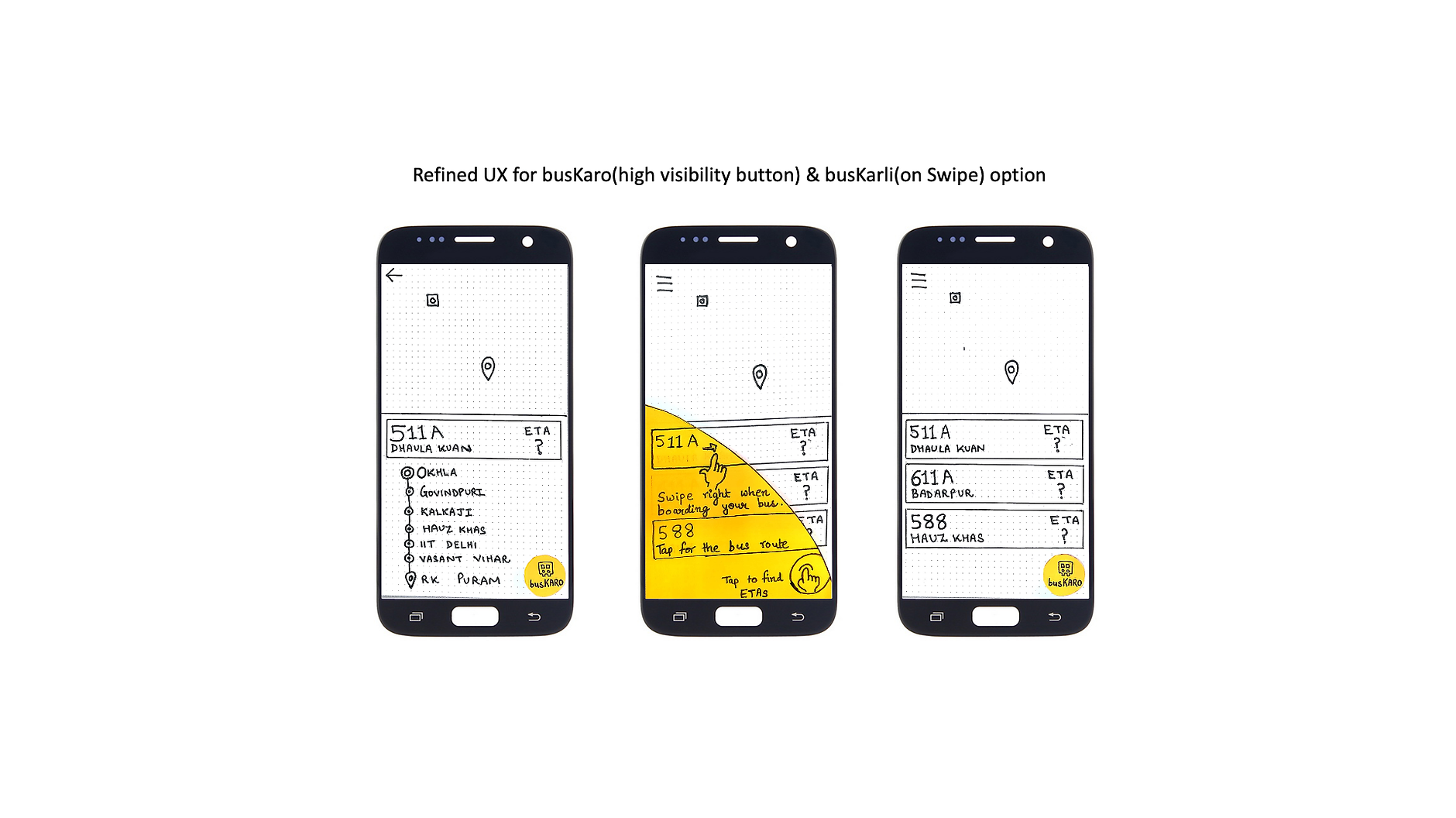
- busKaro (Translation - I want to board the bus) - To reveal ETA for a bus.
- busKarli (Translation - I have boarded the bus) To earn credits by updating the boarding information.
Low Fidelity Prototype I
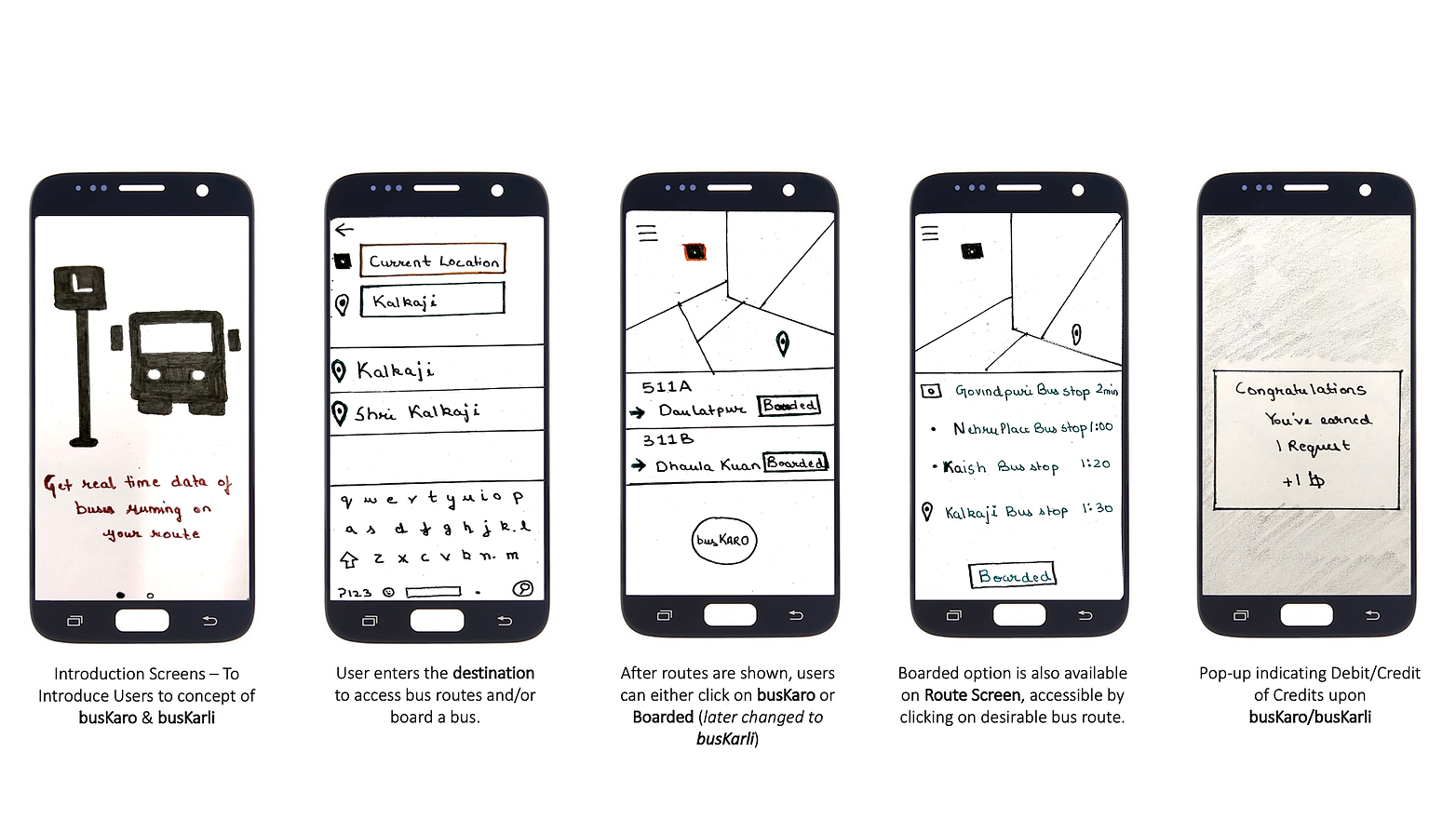
Testing Low Fidelity Prototype I
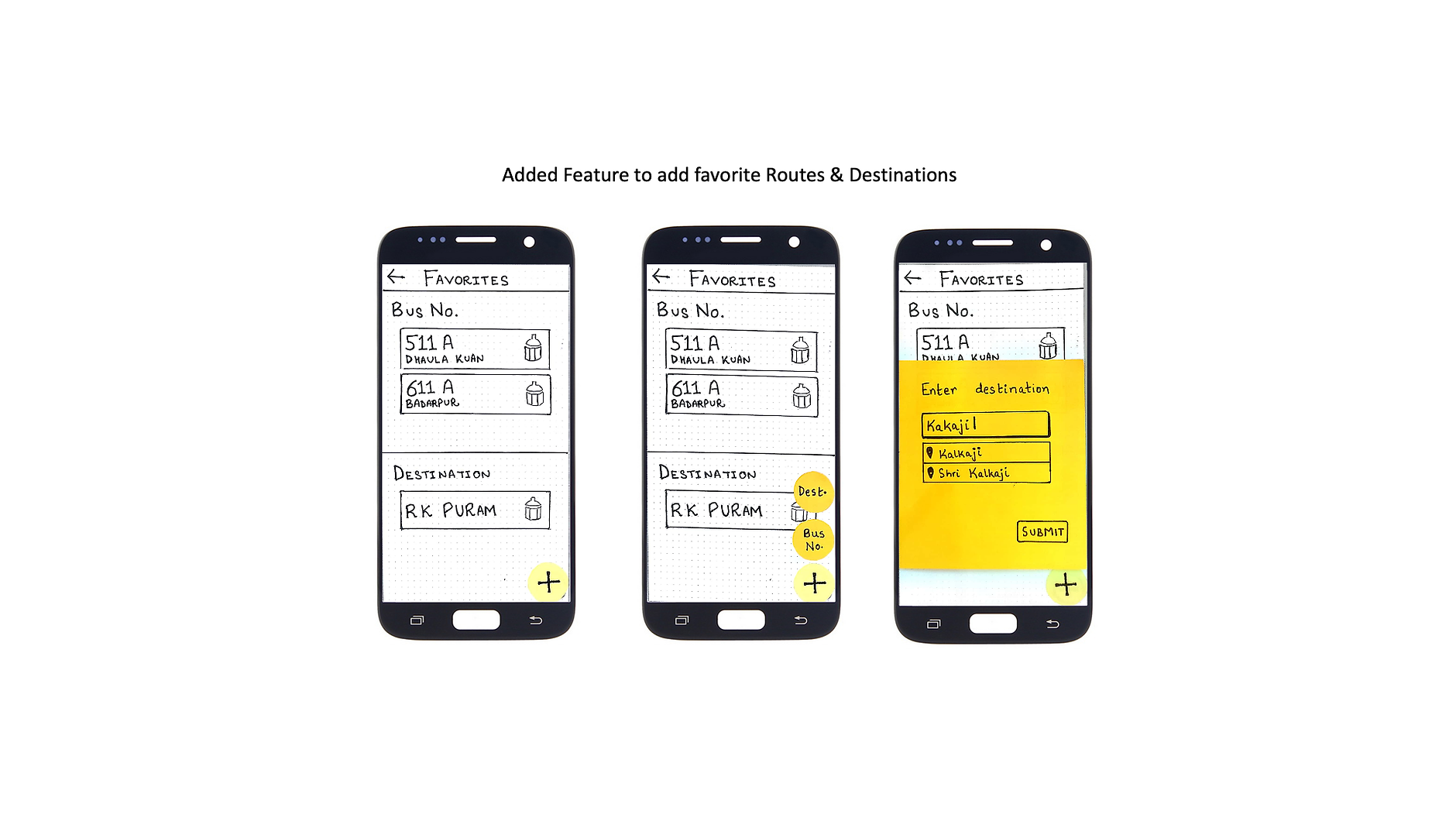
After analyzing results from Task Analysis & Think Aloud Testing conducted with 15+ subjects, we narrowed down the following problem areas in our app: -
- Difficult to understand busKaro & busKarli
- Lack of any option to save favorite routes for frequent bus travelers
- Difficult to fetch ETAs(busKaro) & Board Bus (busKarli)
Low Fidelity Prototype II
High Fidelity Prototype I
After having done two iterations of user testing on our low fidelity prototype, we had now gathered a lot of useful feedback. We would now use the final low fidelity prototype to build a high fidelity prototype for our Android app. We used proto.io for this as well
As can be observed from our interfaces, we have strictly followed the material design guidelines for Android to design the high fidelity prototype.
A fully functional high fidelity prototype of our app -> Open in another tab
Testing High Fidelity Prototype I
The high fidelity prototype was further tested with users to get their feedback on the color scheme, font, readability, and learnability of the interface.
We then created another version of high fidelity prototype based on the feedback received from the 1st one.
High Fidelity Prototype II
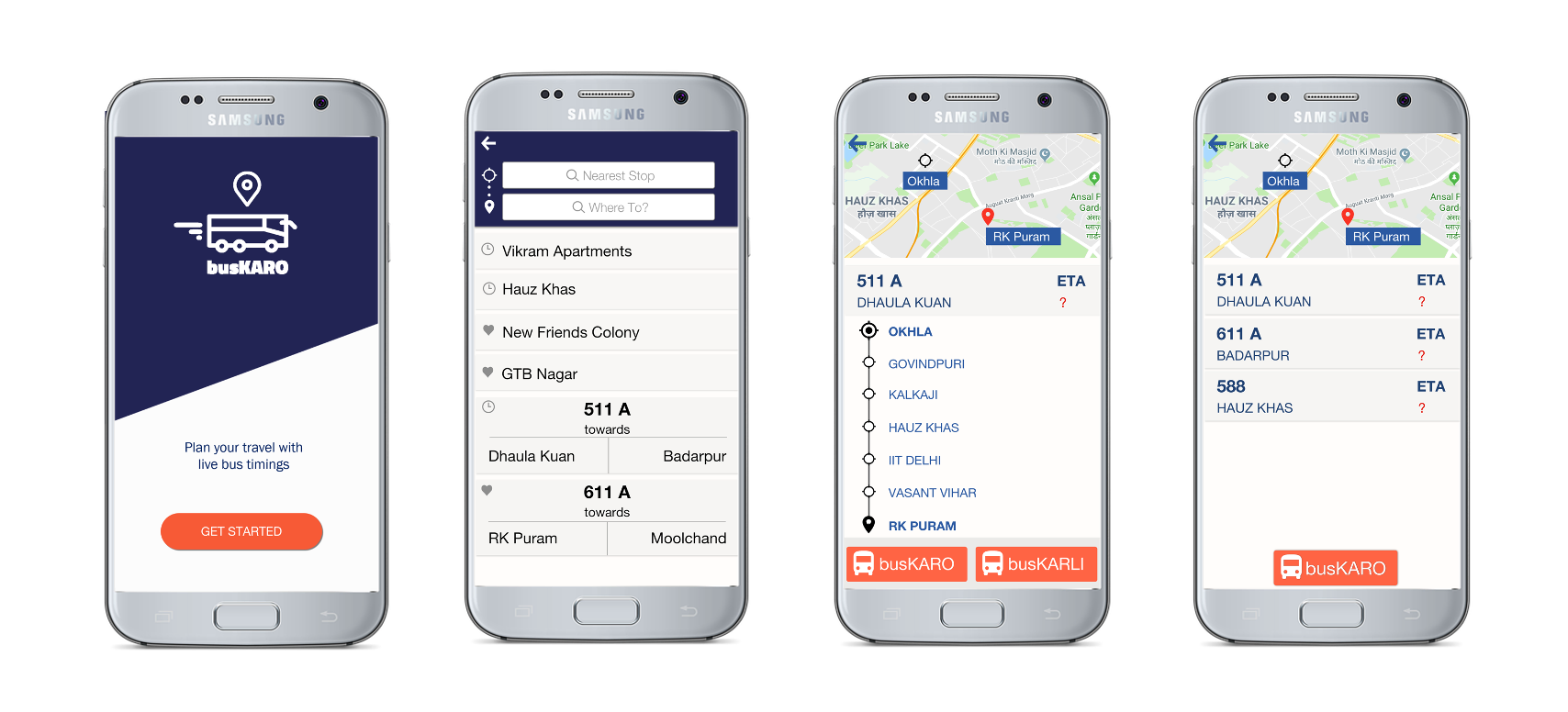
We were now ready for the final development of the app. We used Android Studio for the same.
After the development was complete, it was time for one final round of testing. But this time, we would use the actual app.
Testing the Final App
Most of the users felt that the app was clear in terms of both the UI and interactions. With all the positive responses, the users also provided us with areas requiring scope of improvement such as improving the search bars and functioning of automatic detection of the current stop.
Final Screens
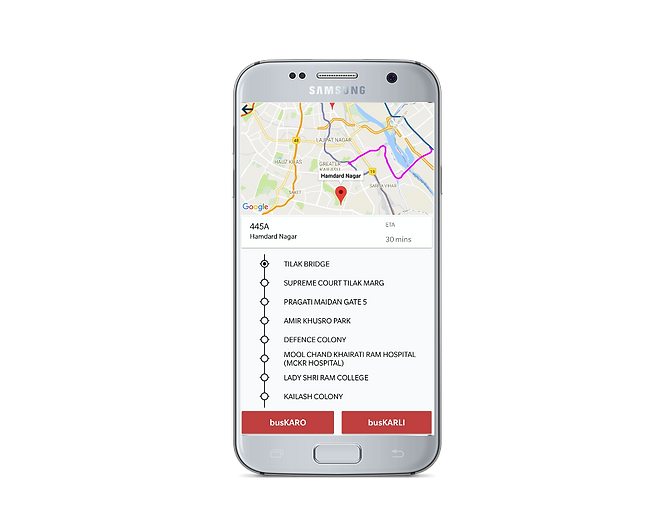
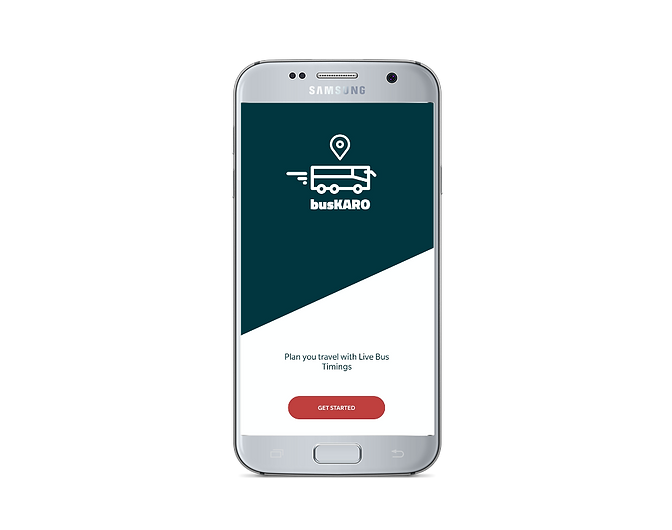
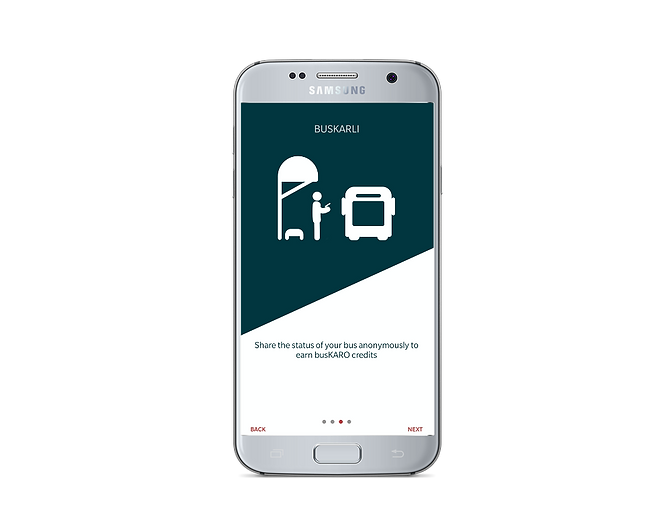
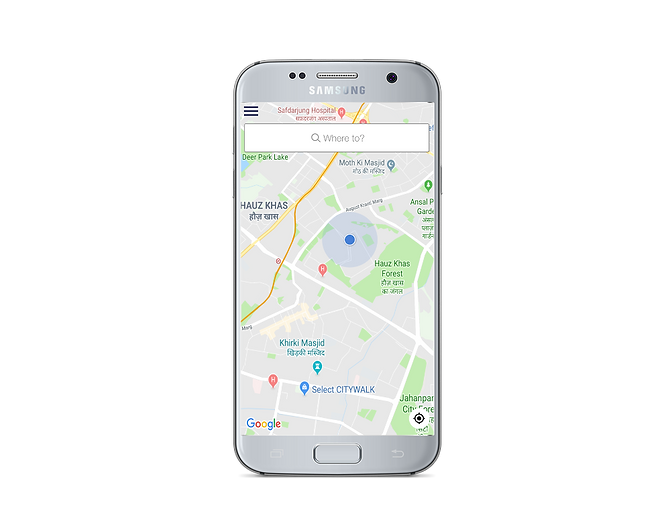
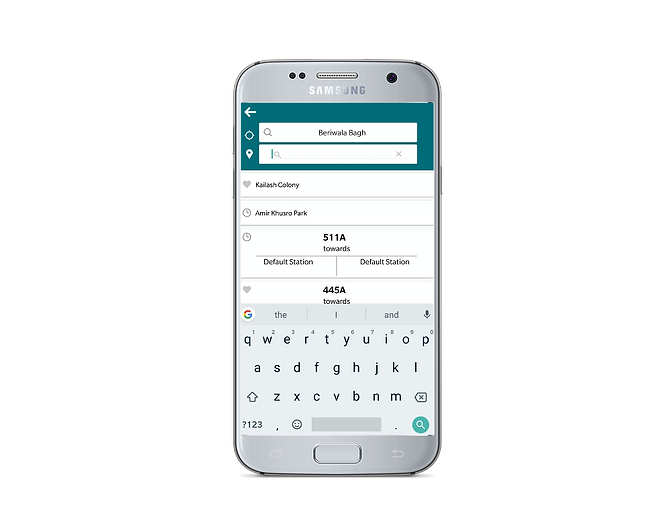
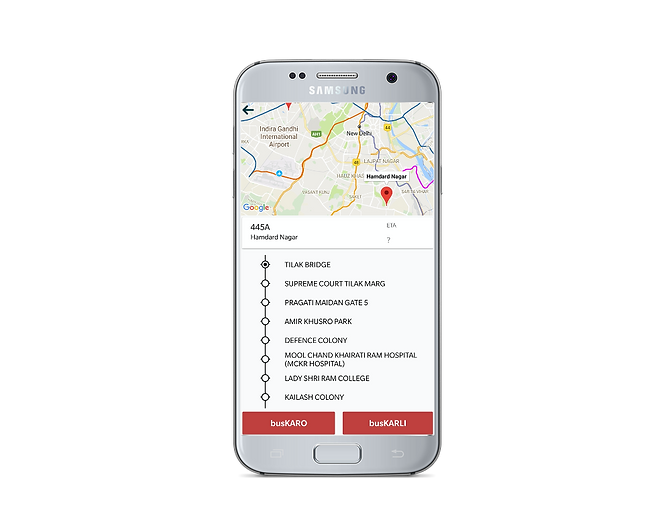
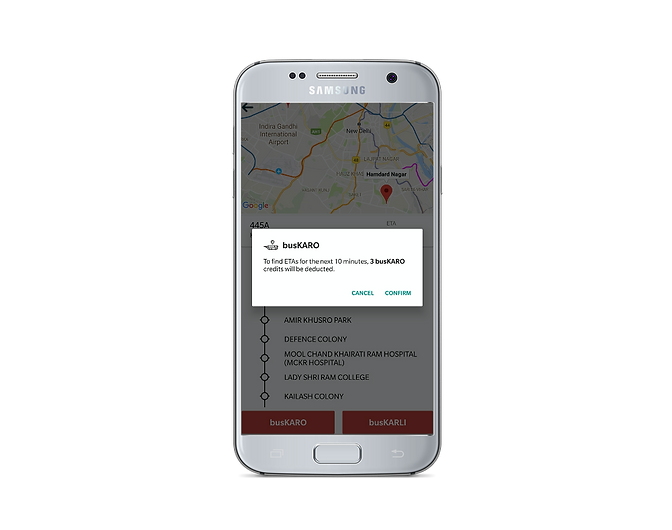
Color Scheme
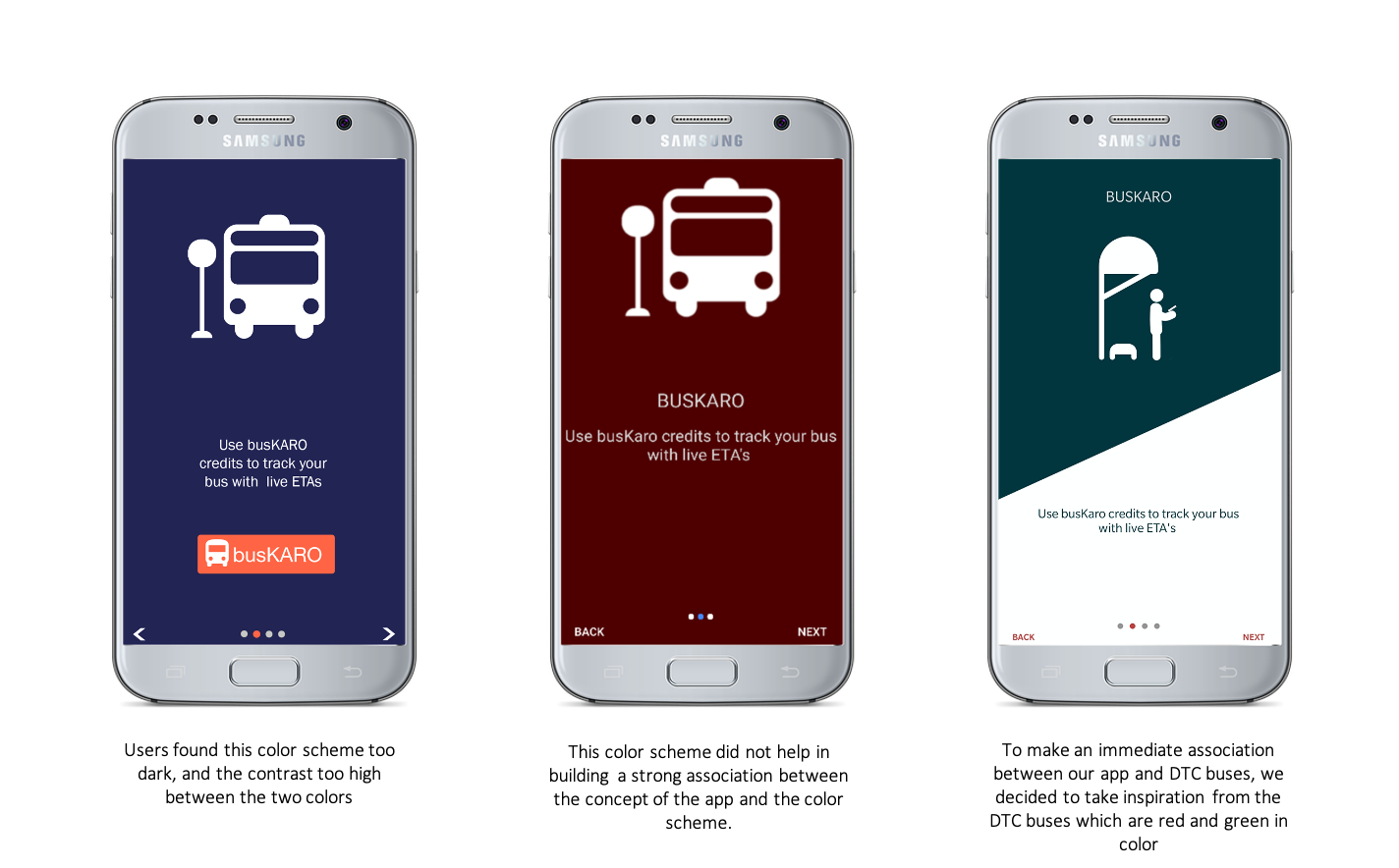
We started our search for a color scheme by exploring the website awwwards.com for award-winning interfaces. We also used the material design tool (material.io) to test various color schemes.
After multiple rounds of testing, we narrowed down on the scheme:
Primary Color: Turquoise (#00535B)
Secondary Color: Red-Orange (#C1403D)